 Wotaku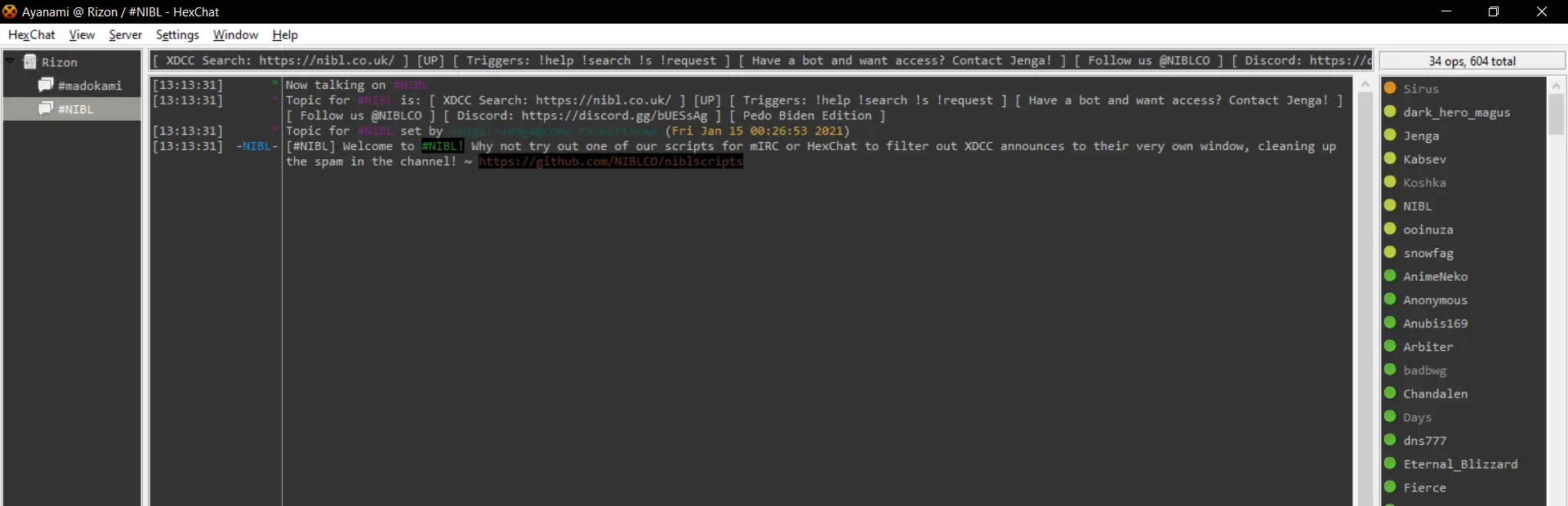
IRC & XDCC
IRC (Internet Relay Chat) is a real-time messaging protocol, while XDCC (eXtended DCC) is a method used on IRC to facilitate file sharing through direct client-to-client connections. In this guide, we explaned how to use bots in IRC.
Getting Started
- Install an IRC Client on your device.
- Go to a XDCC Packlists and search for your content
- Click on the search result for the command message
- Join the server and the channel of the bot and send the command message
- It will show a pop up for the download.
IRC Client
- Revolution IRC Android
- AndroIRC Android
- HexChat Windows
- mIRC Windows
- AdiIRC Windows
- KVIrc WindowsLinuxmacOS
- Irssi Linux
- WeeChat LinuxmacOS
- LimeChat macOS
XDCC Packlists
- nibl Anime
- Server:
irc.rizon.net - Port:
6697 - Channel:
#nibl
- Server:
- subsplease Anime
- Server:
irc.rizon.net - Port:
6697 - Channel:
#subsplease
- Server:
- animk Anime
- Server:
irc.xertion.org - Port:
6697 - Channel:
#MKorXDCCLeech
- Server:
- XDCC EU General
- SunXDCC General
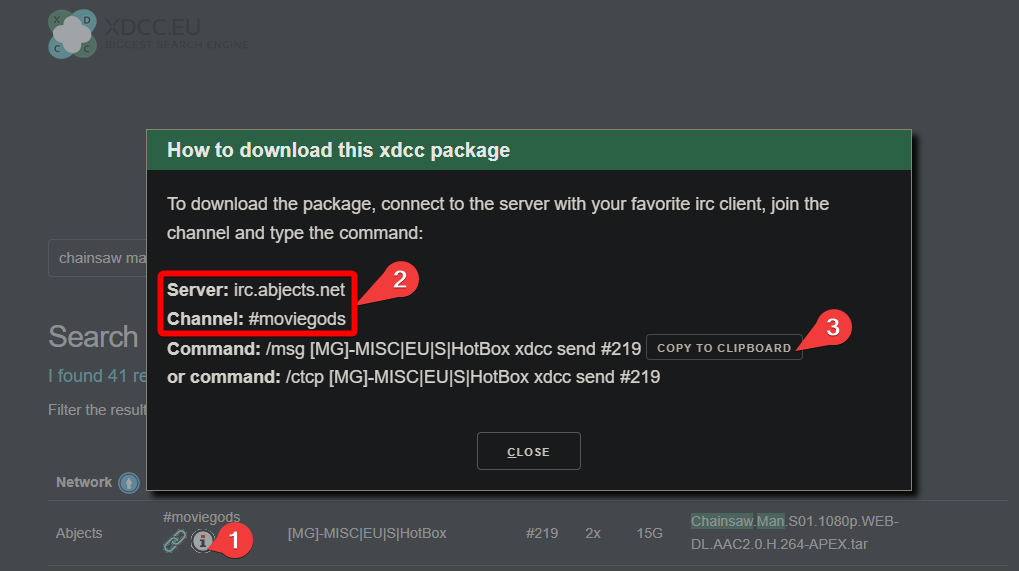
XDCC EU
- Click on the ℹ️ button
- Join the server and the channel of the bot
- copy and send the bot command in the channel
SunXDCC
- Join the server and the channel of the bot.
- Make the bot command according to the standard form. For this screenshot the bot command will be
/msg [FutureBot]-[C21] xdcc send #530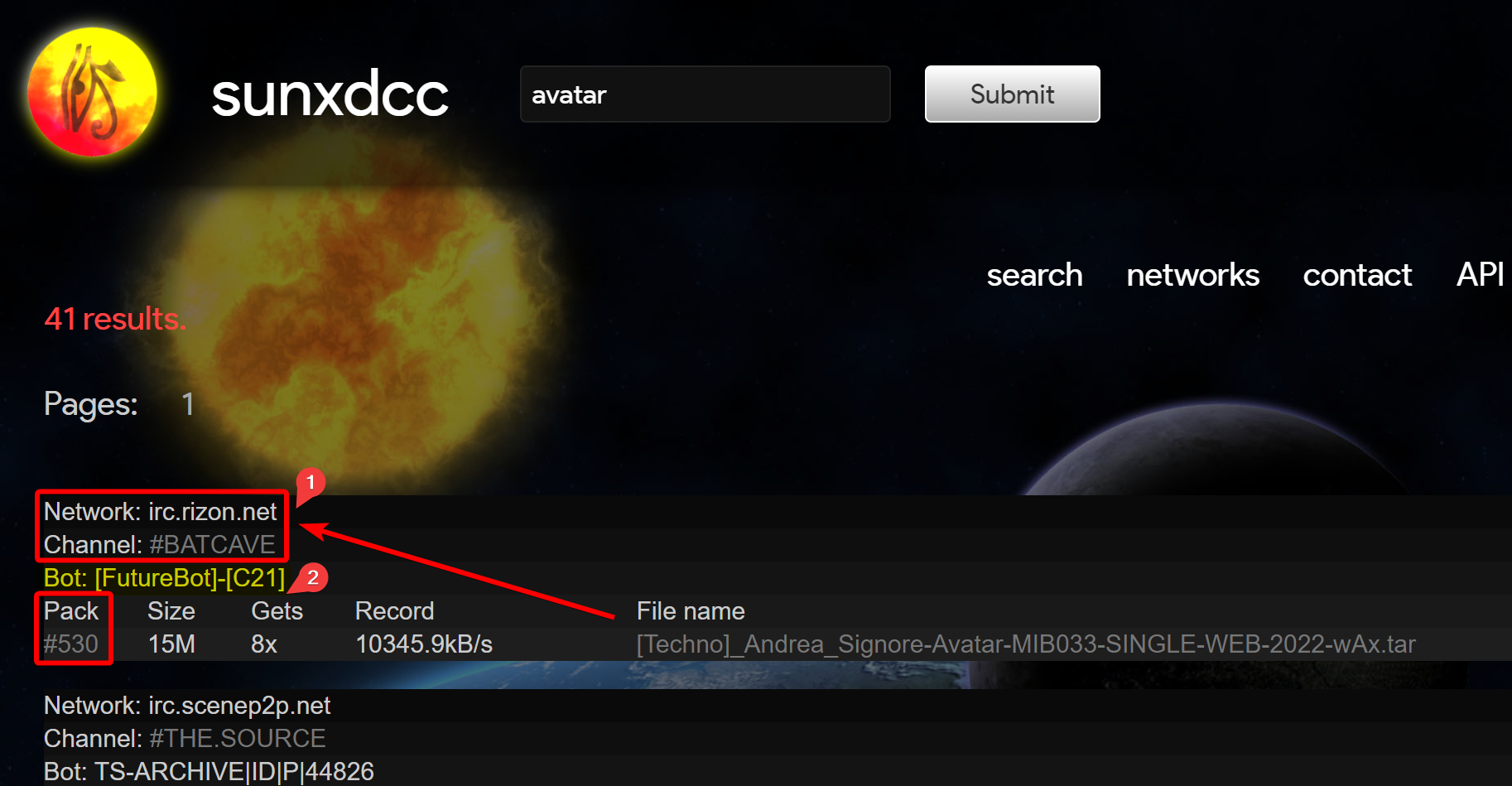
Batch DL
/msg [botname] XDCC BATCH [a]-[b]→ Request packs with numbers a to b, including a and b, from the bot./msg [botname] XDCC BATCH [a],[b],[c]→ Request packs with numbers [a],[b] and [c] from the bot./msg [botname] XDCC BATCH [a]-[b] [password]→ Request passworded packs with numbers a to b, including a and b, with password "password" from the bot./msg [botname] XDCC BATCH [a],[b],[c] [password]→ Request packs with numbers [a],[b] and [c], with password "password" from the bot./msg [botname] XDCC BATCH [a],[b],[c]-[d]→ Request packs with numbers a, b and c to d from the bot. (i.e, you can combine the two methods of saying which set of packs you want)